
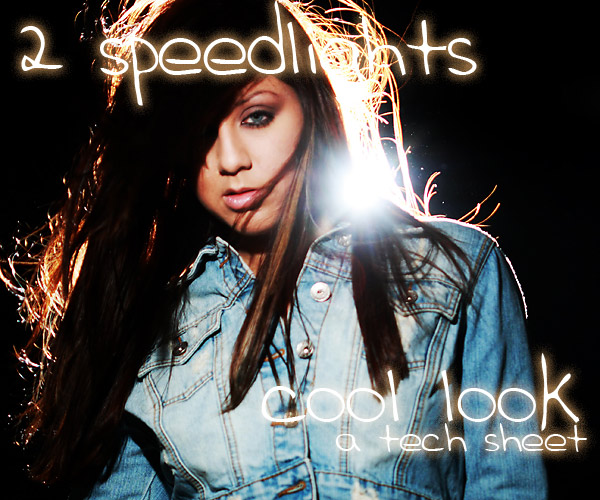
Today’s tech sheet looks at using two speedlights for a dramatic headshot. We aren’t doing anything really special, although I did modify a Gary Fong diffuser to give me a round light instead of the oblong/square light that a normal speedlight gives off.
I wanted to add some flare to headshots I had planned with Briana, and I wanted to try to get them inside. We had gone outside to get some flare and it worked pretty well. (In an upcoming post there will be more on that shoot.) But doing it in the studio with studio strobes would be tricky. I decided on the speedlights for a couple of reasons. One, I wanted to shoot at a wide aperture and two, I wanted to do something a little different than pulling out the big guns.
Before we start out, a reminder on upcoming workshops, some cool previous posts, and of course a link to our tech sheet area which is growing pretty well. Go ahead and print them out. They will really make a nice set of tutorials for your bag.
On to this weeks Tech Sheet:
Working with Speedlights has advantages and disadvantages. Lets look at some of the advantages that using the two speedlights gave this shoot:
They are able to give just a wink of light to allow me to shoot at the minimum aperture I wanted, they are fast to set up, and at low power they recycle immediately. The disadvantages are the squared off light pattern they produce and the harshness of the bare light. (NOTE: You can download your Tech Sheet in PDF form here.)
We addressed both of these in this shoot.
I modified the Gary Fong diffuser by attaching a round reflector from an old Sunpack strobe that has long since bit the dust. That reflector rounds off the light pretty well and also gives it some parabolic tendencies although it really isn’t a parabolic reflector. A true parabolic has the bulb in the space of the reflector where this one does not.
The harshness is something that I and the model work with from a position choice. Keeping the face into the axis of the light mitigates the shadows on the nose and lips. If the model turns away from the light, there are more shadows, and if she keeps her face toward the light there are less shadows. I work with great models who know and understand what I want, so telling Bri to keep into the speedlight was all it took. She wrote a great little article on models working with the light here.
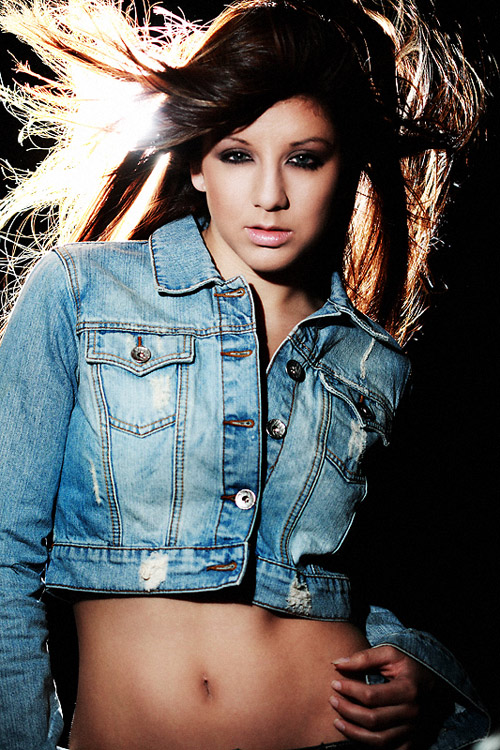
Here is one of the shots we did. You can see the flare from the back coming through her hair. I was really happy when I saw how it was working as that was exactly the look I wanted.
Working with speedlights have their own challenges: For one thing, there is no modeling light.
Not having modeling lights is a little tricky, and focusing my 100mm Canon was challenging at first… man that thing was hunting focus like crazy. I finally added a little lamp light to help it along. The model is essentially working in the dark and the image doesn’t look all that cool when the strobes aren’t firing. But, a quick check and you know you have it.
Having the round light also gave me a nice shape to the light as it fell off. Remember that the light is in a pretty close position to the model, so it is not spreading the light for her full length, but falling off around midsection.
This shot shows the falloff pretty well. Notice the soft edge to it.
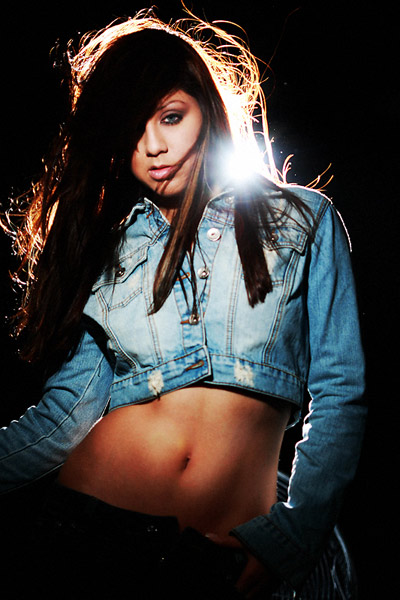
The soft edge to the falloff is due to the parabolic effect of the speedlight modified with a round reflector.
One of the important things is working the model toward the light. Keeping that axis of her face and the light close will keep the harsh shadows on the nose and lips to a minimum. Here are some contact sheets so you can watch as Briana works her face toward the light, but keeps plenty of other dynamics in play so it doesn’t end up looking static.
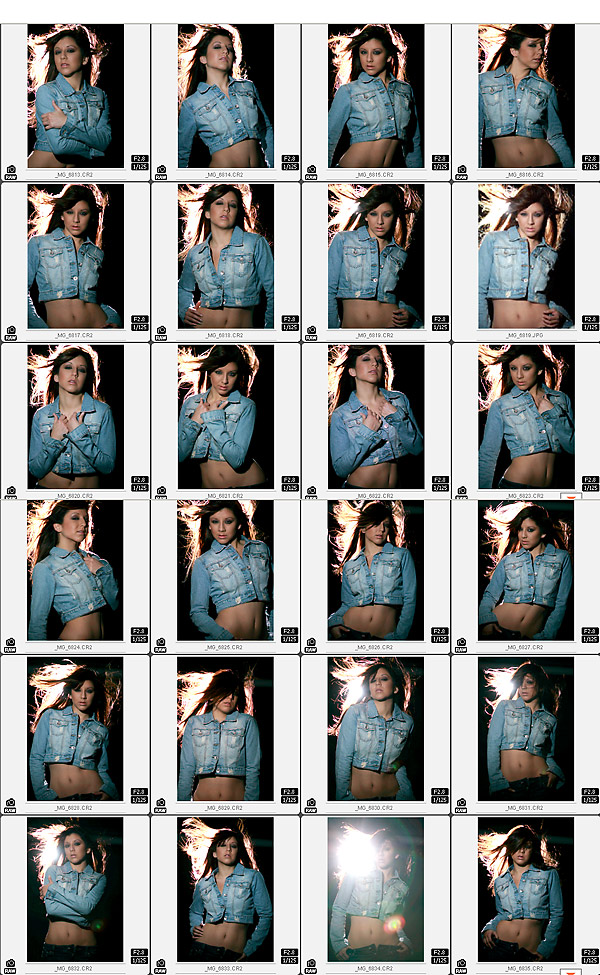
Using her body and shoulders to advantage, Briana works her face toward the light for a more pleasing result.
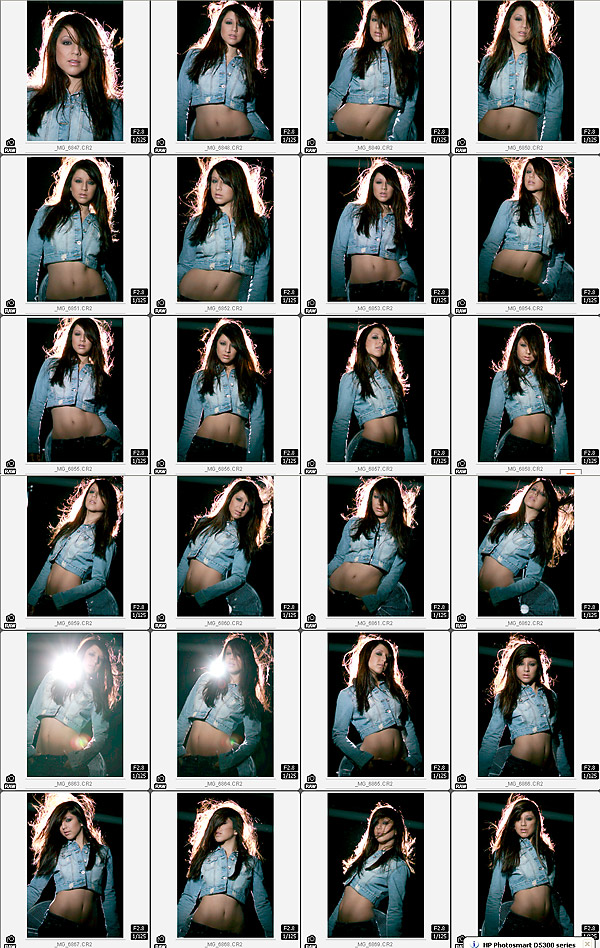
This contact sheet shows what happens when the flare gets too strong.
As I move around the set, the angle would change with the back light and the camera. Occasionally, as you notice above, the flare would be too much from the exposed flash. I will always try to push it to the limit, so there are times when it completely obliterates the image.
I shoot tethered for most of my studio work and just recently got a MacBook for going on location – it’s smaller and easier to pack. I cannot stress how much shooting tethered can make your shooting go easier. Once you try it, going back to mere ‘chimping’ seems so, well, ancient.
One of my favorite shots from this session so far (I still am looking and processing, a task that I spread over a few months usually) is this one. Just enough flare to make it work and a great angle/gesture from Briana.
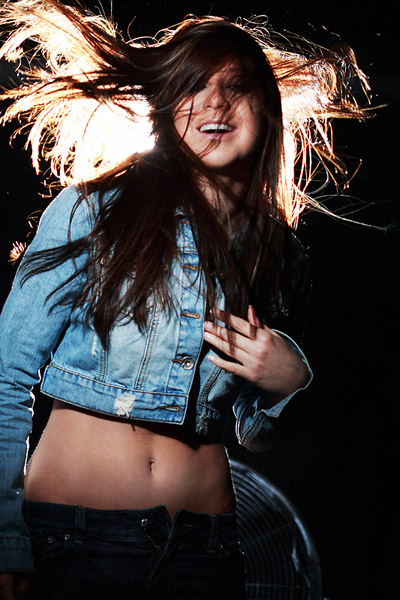
One of my favorites
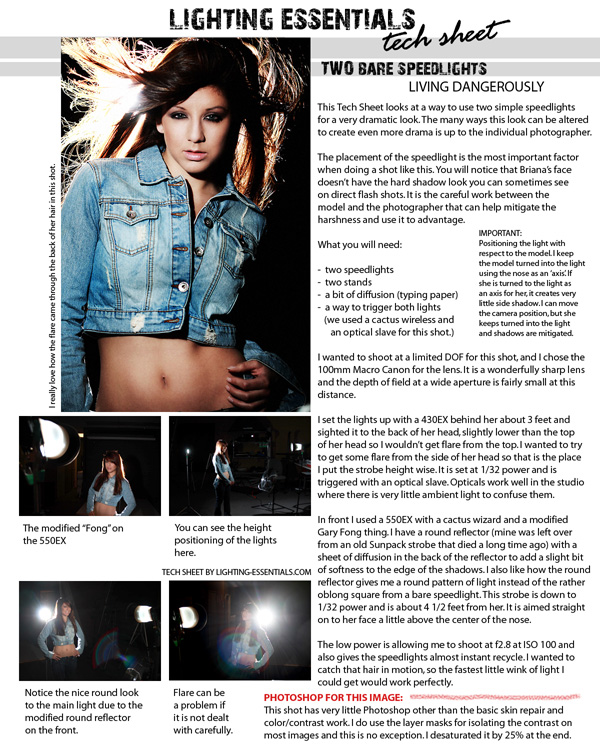
I hope you all like the tech sheets and keep them to help give you ideas for shooting on your own.
Remember to get your tech sheet (PDF) here and start your collection. There will be at least 26 next year so start now or play catch up then.

Don, would you mind explaining what shooting tethered is. I know the photos go directly to your computer as you shoot them, but is your camera connected to your computer with a cord or is it wireless?
Hi Art:
I use the cord that comes with my Canon cameras and it links directly to my laptops with a USB in. Using the Canon Software, (Utilities) I can designate a folder on the laptop and shoot the images straight into the computer completely bypassing the card if I want to.
The image comes up in the software with a histogram and the full color of the finished image… in other words, I don’t have to rely on the screen on the back of the camera. I understand that Lightroom may allow shooting straight in as well, but am not sure on that.
Try it… you’ll love it.
Very nice. I love the fall off on the light.
I’m curious why you used the reflector … would just putting foil around the outside of the Fong have achieved the same thing without all the spill?
I need to try this. Please send Briana around for a shoot, thanks. :^)
Don,
Thank you for all the lighting series and especially now for making the tech sheets available as a pdf. Any chance of the first two being available as pdf’s?
Thanks to you and Briana.
Tom Marriage
You can shoot tethered in Lightroom with the addition of this plugin http://www.mountainstorm.co.uk/photography/page2/page2.html
Thanks for the great info!
M.