
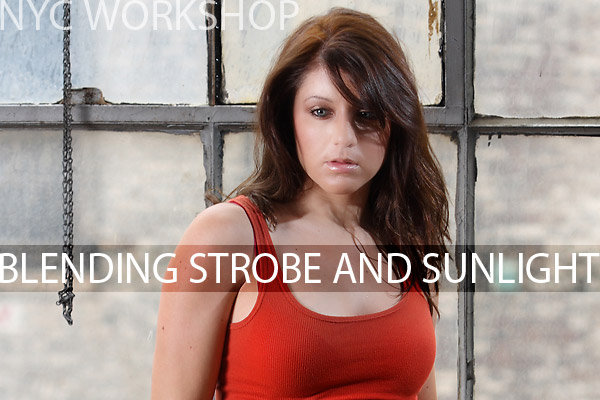
This shot of Briana was taken at the New York City workshop and uses a method of flash and ambient controlled to look somewhat natural. Blending the two for portraiture can be very attractive and give the image a more natural look.
We used the ambient light from outside through the window and added our own interior light for the subject. An Alien Bee in a softbox provided the main light while we added a wink of light from a speedlight for a subtle edge.

First we checked to make sure how we wanted our ambient light to read. We took and exposure reading and set the camera for that aperture. We were also careful to make sure our shutter speed was within the range that would allow flash sync. We made a test exposure just to see what it would look like with the ambient only.
As you can see the background has light on it, and looks rather subdued because of the cloudy / hazy day. This was the natural look we were going for. There is a bit of spill on Briana’s shoulders and hair from the backlight, subdued as it is. This gives the image a bit of ‘place’ and lets the viewer know she is standing in front of a window with light coming in from it. To not have the natural light on the hair and shoulders would make the image look like it was lit separately from the background instead of blending it in.
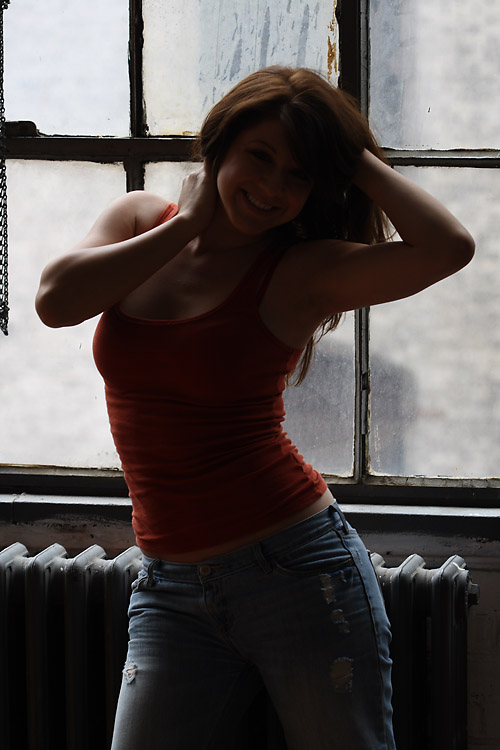
Our goal now was to bring in our main light and edge light to match that ambient outside. It was important also that the image look natural but with a little bit of ‘edge’ to it to liven it up. Our main light, the AB400 with softbox was brought in from camera left, and placed slightly above her forehead for centering. The light gave a nice modeling to her face and body. It also seemed to be a natural light from the environment (windows and ambient light in the room) and looked a little like our eyes saw her without the contrast of the background.
We wanted a little more kick to it though, so we added a speedlight at 1/16 from far camera right and behind her as far as possible with the wall there. This light measured 1/2 stop less than the main light, but because of the angle and the fact that it is coming in from the shadow side, it added quite a nice little edge to her left side. See the nice light on her hair and arms, and also how it livens up the jeans on the shadow side. The resulting highlights on both sides of her are as we would be seeing them in real life with the light ‘wrapping’ around from behind.
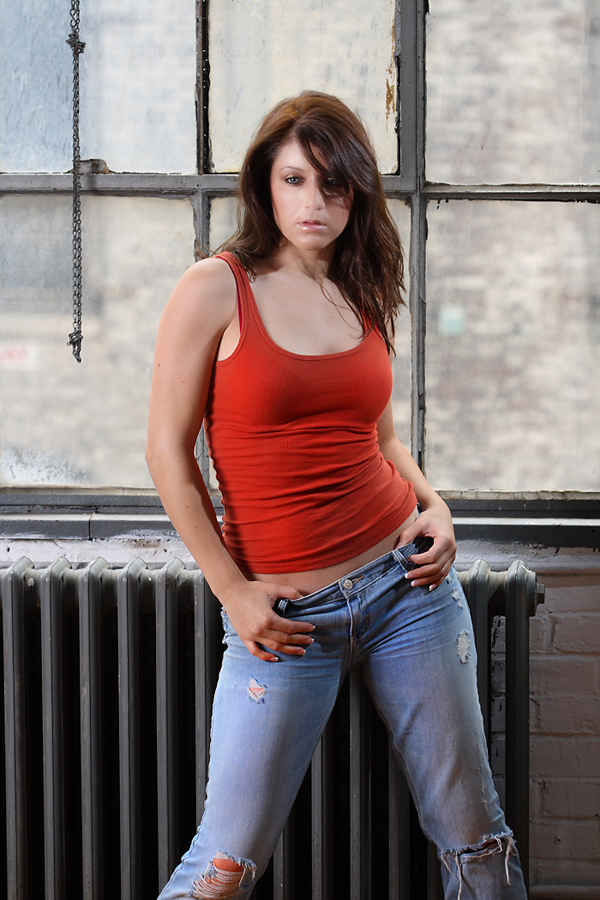
The resulting image has some nice spill over her shoulders which gives the impression of backlight. The small kicker gives the image a separation and a little bit of edge to her left side (camera right), and the shadows from her hair give the shot some depth and a feeling of ‘light’ being natural and part of the scene.
Thanks for visiting Lighting Essentials. If you have any questions or would like to know how to do something with your lighting, drop us an email. If you are a writer and would be interested in publishing on our sister site www.lighting-essentials.com/magazine let me know and we can talk.

A friend of mine from Modelbrigade introduced me to this site (lighting-essentials). Ever since I found this site, I think I have either read or watched every tip, video, blog on this site. I really appreciate your using your talent and experience and putting this information out there for others.
At some point in the future, I plan on purchasing your video and attending a workshop. I look forward to consistently visiting your site.
Thanks again.
Patt
Freezeframe Photography